
In July 2026, the U.S. Department of Justice made public a 39-page criminal indictment. The defendant is 19-year-old Peter Stokes, accused of hacking a U.S. luxury jeweler in May 2025 and demanding an $8 million ransom.
Stokes used VPNs, proxy servers, and various evasion tools, with IP addresses spanning four countries including Estonia, New York, and Thailand. Ordinarily, tracking someone on the internet, once the IP address changes, the trail goes cold.
But the FBI still found him. The decisive evidence was a string of digits auto-generated by Microsoft: g:6755467234350028.
This string of digits is called GDID — Global Device Identifier. Before the indictment was made public, the vast majority of Windows users had never heard the name. Microsoft’s only public mention of it was a single sentence in Azure Monitor’s enterprise technical documentation: “an identifier used internally by Microsoft.”
 Windows GDID is a permanent device identifier built into the system. Source: ghacks
What is GDID: your computer’s “ID number”
Put simply: GDID is a permanent number that Microsoft automatically assigns to your computer. The moment you install Windows, or sign in with a Microsoft account, this number is generated.
It’s not a hardware code — hardware can be replaced. It’s not an IP address — IPs change constantly. It’s an identity number “issued” by Microsoft’s servers to your machine; once generated, it stays bound to that computer’s Windows system, surviving system updates and network switches alike.
What does it look like? Usually a string of digits starting with “g:”, such as g:6755467234350028, hidden deep in the Windows registry where ordinary users can’t see it. It runs silently in the background, periodically sent back to Microsoft’s servers as part of everyday operations like Windows updates, Microsoft Store usage, and system telemetry uploads.
If the words “sent back to Microsoft’s servers” make you a little uneasy — that feeling is perfectly normal.
How it works: an invisible assembly line
GDID’s generation and reporting is like a fully automated assembly line, with almost no room for user intervention.
Step 1: When you sign in to Windows with a Microsoft account, a background service called wlidsvc automatically contacts Microsoft’s login server (login.live.com) and requests a device-specific identity number. This number is issued directly by Microsoft’s servers and then handed to your computer.
Step 2: This number is written into the Windows registry — at the location HKCU\SOFTWARE\Microsoft\IdentityCRL\ExtendedProperties. Like a filing cabinet hidden deep in the system, nothing is visible on the surface.
Step 3: Multiple background services in Windows read this number. Features you use daily like “Phone Link,” “Cloud Clipboard,” and “Nearby Sharing” all call it. These services register the number into Microsoft’s “Device Directory Service,” forming a complete device-identity graph.
Step 4, and the most critical: Windows’s “Delivery Optimization” feature — the one that helps you quickly download updates from other PCs on your local network — every time it runs, it reports the GDID number together with your IP address and timestamp to Microsoft’s servers.
In other words, Microsoft not only knows you have a number, but also knows which IP that number used and when. String that information together and you get a complete device activity timeline.
How the FBI used it to catch the suspect
Stokes thought he was clever. He hid his real IP behind a VPN, routed traffic through proxy servers, and even switched network identities across multiple countries. But he overlooked one thing: no matter how the IP changes, the Windows system on his computer doesn’t change.
According to the indictment, the FBI’s investigation path went roughly like this:
First, the victim jeweler’s website recorded the attacker’s IP address — belonging to a VPN provider called Tzulo. At the same time, investigators found that the attacker had registered an ngrok (a network-tunneling tool) account for this operation. The registration time and IP lined up.
Next, the FBI requested data from Microsoft: At this time, using this IP address, what was the device’s GDID number? The answer came back: g:6755467234350028.
Then the FBI queried in reverse: Which other IP addresses has this GDID number appeared on? Microsoft’s records showed the same GDID appearing across Estonia, New York, Thailand, and other locations over an eight-month period, each time connecting through a different VPN node.
Final step: the FBI cross-referenced these IP addresses with Stokes’s login records on Snapchat, Facebook, his Apple account, and the Ubisoft gaming platform — the times matched, and the locations matched. Photos he publicly posted on Snapchat lined up perfectly with the travel timeline recorded by the GDID.
In April 2026, as Stokes was about to fly from Helsinki Airport to Japan, Finnish police stopped him. An Interpol red notice kept him off that plane.
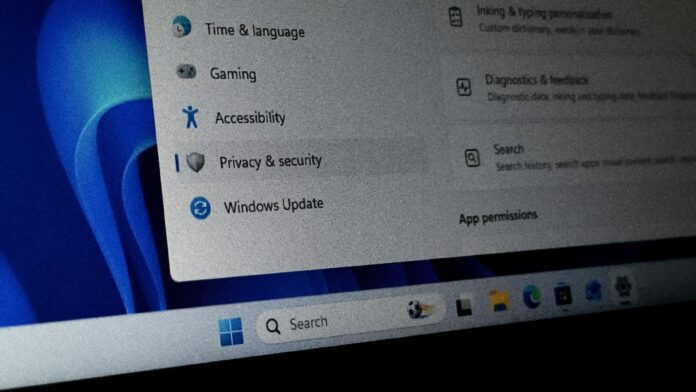 The FBI used GDID to pierce through VPNs and multi-country networks to pinpoint the suspect. Source: WindowsLatest
What’s truly unsettling
The core of the GDID controversy lies in one fact: you can’t turn it off.
Apple’s phones let users reset the advertising identifier. Android also offers similar control options. Apple even requires apps to pop up a prompt asking users whether to allow tracking — that “Allow App to Request to Track” dialog.
GDID has none of this. No popup asking for your consent. No switch to turn it off. No button to reset it. Security researcher Matthew Hickey, commenting on the case, flatly called Windows “surveillance software.”
Even more uncomfortable is the transparency problem. Microsoft’s public description of this number, across the entire Azure Monitor documentation, is just one sentence: “Microsoft Global Device Identifier. This is an identifier used internally by Microsoft.” One sentence, a dozen-odd English words. How it’s generated, how it’s transmitted, how long it’s kept, who can access it — none of that is explained.
Independent security researchers had to reverse-engineer GDID’s mechanism. They found that if you forcibly block GDID’s generation, Windows activation breaks and Microsoft Store apps stop working properly. GDID is deeply bound to Windows’s core functions and can’t be pulled out on its own.
One more notable detail: in a footnote to the indictment, Microsoft acknowledged that one Microsoft account can be linked to multiple GDIDs. This means that even if you reinstall the system and get a new number, Microsoft can still link the old and new numbers through your account, OneDrive, activation records, and so on.
Each side’s position: there is no single answer
This isn’t a simple good-guys-versus-bad-guys story. Each side, from its own vantage point, sees a completely different picture.
From law enforcement’s perspective, GDID is a powerful forensic tool. In the Stokes case, without GDID as a tracking anchor that can pierce VPNs, the investigation would likely have stalled at a pile of unrelated VPN IP addresses. GDID lets law enforcement pierce the anonymity layer and tie criminal activity to a specific device. For criminals who use technical means to hide their identity, this is an effective counterweight.
From a privacy-protection perspective, a permanent device identifier that can’t be disabled and requires no user consent is, by any standard, a design red flag. Its problem is that it’s “theoretically usable for any purpose.” Today it’s an FBI criminal investigation — tomorrow? Ad networks? Insurance companies? Political surveillance? A system that reserves a maximum tracking capability at the design stage will not always be wielded by “good guys.”
From Microsoft’s perspective, GDID’s original design purpose isn’t necessarily to track users — it’s mainly used to manage software licensing, keep the app store running, and support cross-device collaboration features. But the problem is, once this “infrastructure-level” identifier exists, it’s embedded into too many system components; removing it would mean rewriting Windows’s core architecture.
In the Lobsters discussion, one comment kept getting boosted to the top: “If this doesn’t wake more people up, next time it won’t just be about catching hackers.” Others said: “The real solution is to switch operating systems.” But for 1.6 billion Windows users, switching operating systems is not a suggestion to be tossed off lightly.
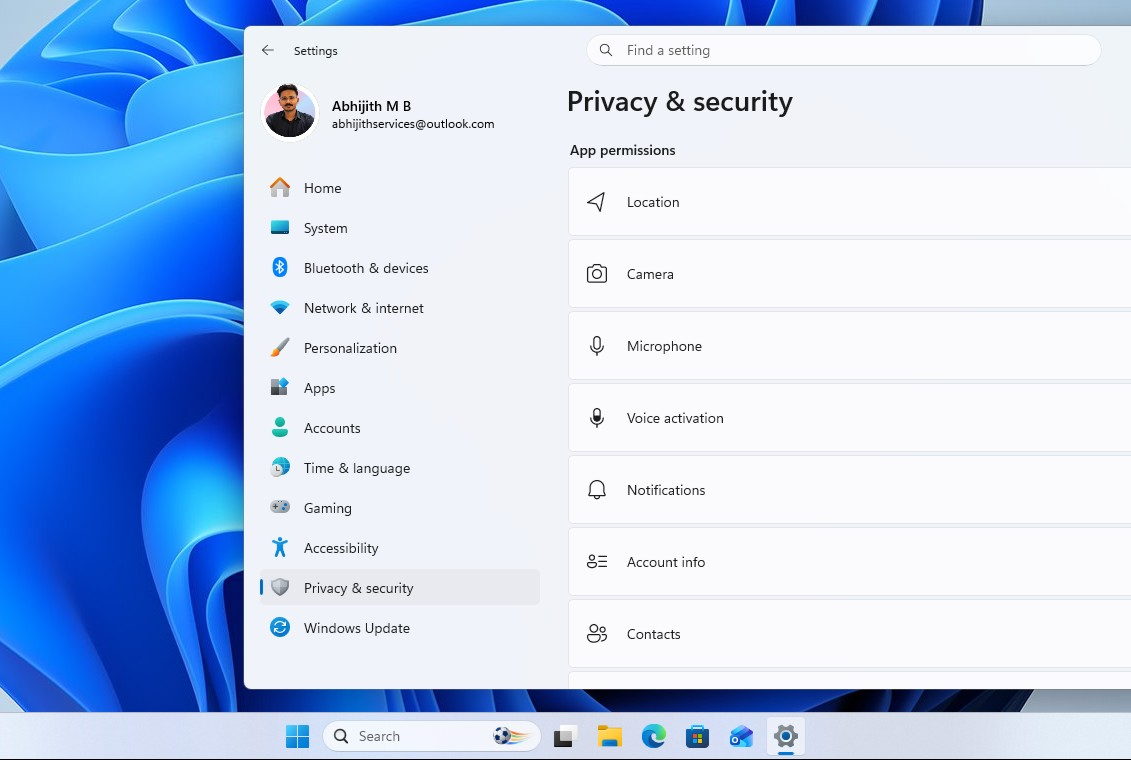 In Windows 11’s privacy settings, you’ll find no control option for GDID whatsoever. Source: WindowsLatest
What ordinary users can do
Frankly, for ordinary users already deeply embedded in the Microsoft ecosystem, the options for responding right now are quite limited. The steps the author has compiled below are things you can do under current conditions to reduce the associated risks:
First, use a local account rather than a Microsoft account wherever possible. Windows 11 has narrowed the entry point for creating a local account in recent versions, but skipping the internet-connect step during installation, or finding “Sign in with a local account instead” in Settings, is still a viable path. GDID’s generation is deeply tied to a Microsoft account, so a local account is an indirect form of isolation.
Second, turn off non-essential diagnostic data reporting. Path: Settings → Privacy & security → Diagnostics & feedback → turn off “Send optional diagnostic data.” This won’t make GDID disappear, but it reduces the other information reported alongside it.
Third, turn off personalized ads and activity tracking. In “Privacy & security” → “Recommended and offers,” turn off all options. In “Search permissions,” disable “Cloud content search” to keep local search content from being sent to Microsoft’s servers.
Fourth, periodically review your activity history. In privacy settings, check “Activity history” and turn off sync options you don’t need. These actions won’t touch GDID itself, but they can reduce the chance your behavioral data gets correlated within the Microsoft ecosystem.
Fifth, and this may sound extreme but is worth mentioning: if you have high privacy requirements and can accept a learning curve, migrating to an operating system that doesn’t build in this kind of tracking (such as certain Linux distributions) is an option worth considering in the long run. This isn’t a one-size-fits-all suggestion, nor is it right for everyone and every scenario. But it is a choice that exists.
A bigger question
The reason GDID is worth taking seriously is that it touches an increasingly sharp contradiction: when your operating system is also your service provider, whose side should its loyalty be on?
Windows is long past being just a system on your hard drive. It’s wired into Microsoft’s cloud, its account system, its app store, its AI assistant. Its business model is shifting from “selling software” to “selling services” — and in the world of services, user data is the base currency.
GDID is a reminder: in the age of cloud computing and AI, the most “fundamental” system in your computer may no longer be just a tool. It’s simultaneously a sensor, a recorder, and an identity anchor.
And which side it defaults to — on that question, Microsoft has yet to give an answer that reassures everyone.
Reference links:
- ghacks: Microsoft confirms Windows GDID, an un-disableable device identifier, already recorded in FBI case filings
- WindowsLatest: Microsoft admits Windows 11 has a GDID tracker you can’t turn off
- Lobsters discussion (s/agkcmz)
- FBI related case filings