
Your Kindle Answers to Amazon
If you have a Kindle handy, try a simple test: drag an EPUB file — from your local library, from a friend, or from a store like Kobo — onto your Kindle. Chances are, the Kindle will tell you “format not supported.”
This is not a technical limitation. The E Ink display in a Kindle is a perfectly capable rendering panel — it can display any text format. The reason you cannot freely import content is simple: Amazon wants you to buy books from its store. Every book you purchase is locked in AZW3 or KFX format, wrapped in DRM chains that only open on Kindle hardware or the Kindle app.
This is not unique to the Kindle. Nearly every closed e-reader on the market — from the early Nook to various domestic brands — does the same thing: sell you the hardware while keeping the software ecosystem firmly under the vendor’s control. You own the shell, but the “soul” belongs to the manufacturer.
But an open-source project called FreeInk is changing that.
What Is FreeInk? One Sentence
FreeInk is an open e-reader firmware ecosystem — a set of open-source software, firmware, and hardware designs that let anyone install a new, vendor-independent operating system on their e-reader.
The project has three layers:
- CrossPoint Reader: A community-developed open-source firmware that can be flashed onto devices like the Xteink X3/X4, replacing the factory system
- FreeInk SDK: A hardware-agnostic software development kit — write code once, drive e-reader screens across different brands and models
- Open hardware reference designs: Circuit diagrams in KiCad format, 3D-printable enclosures, and even DIY hand-soldering guides
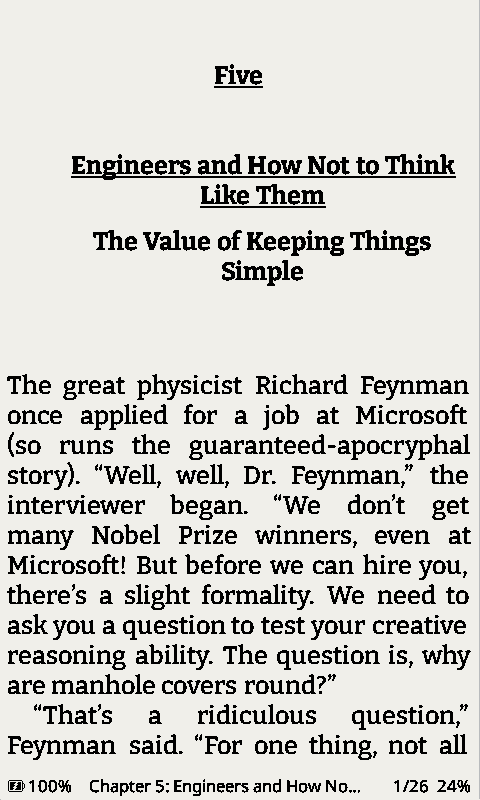 CrossPoint Reader’s EPUB reading interface, with customizable fonts, line spacing, and margins
If you are comfortable flashing a custom ROM onto a phone (Root/Magisk/LineageOS), flashing FreeInk onto an e-reader follows the same logic — only simpler, with less risk.
Why Do We Need “Open Firmware”?
To understand that, you first need to grasp an awkward reality of the e-reader industry:
E-reader hardware itself is not expensive. But its value is almost entirely held hostage by the vendor’s software services.
Take the Kindle. An entry-level Kindle costs around $100, but Amazon barely makes money on the hardware — its profit comes from the cut it takes on every book sold in the Kindle Store. This means Amazon has a strong incentive to make the Kindle a “screen attached to a bookstore” rather than “a device that can read any book.”
The consequences?
- You cannot natively import EPUB (the universal open e-book format) — the Kindle only recognizes its proprietary AZW3 format or books purchased from Amazon
- You cannot change fonts or fine-tune typography — Amazon decides what looks good
- You cannot install third-party reading apps — no KOReader, no微信读书, no Moon+ Reader
- The only way to sync reading progress is through Amazon’s Whispersync — leave the Amazon ecosystem and your progress is gone
- The books you bought are not really “yours” — Amazon can remotely modify or delete content on your device at any time (and has done so in the past)
None of this is unique to the Kindle. The core contradiction of a closed ecosystem is: you paid for the device, but the manufacturer still controls it.
FreeInk and CrossPoint Reader aim to give that control back to you.
What Changes After Flashing FreeInk?
From this author’s perspective, CrossPoint Reader (the flagship firmware of the FreeInk ecosystem) is most compelling for how it redefines what it means to use a reading device.
Formats Are No Longer a Barrier
After flashing CrossPoint Reader, your device natively supports EPUB 2 and EPUB 3 — the world’s most widely used open e-book formats. Public-domain books from Project Gutenberg, DRM-free bundles from Humble Bundle, EPUBs sent by friends — all just work.
WiFi Transfer, No Cables Needed
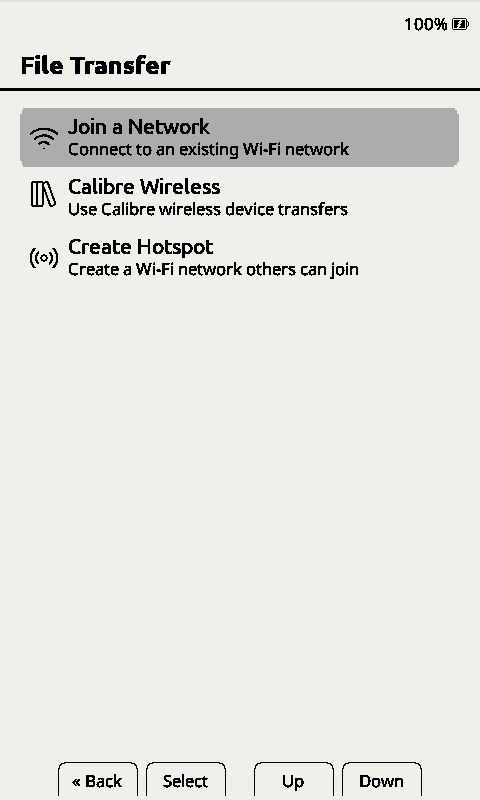 Upload books directly through a browser over WiFi — no computer connection required
CrossPoint Reader starts a WiFi upload server on the device. Open your phone or computer’s browser, type in the IP address shown on the device, and drag files in. For reading progress sync, it supports the KOReader Sync protocol — keep progress consistent across multiple devices.
Fonts and Typography, Completely Under Your Control
It ships with several built-in fonts (Noto Serif, Noto Sans, OpenDyslexic, and more) and supports loading any font file from an SD card. Font size, line spacing, margins, ligature rules, text alignment — every typographic detail is adjustable.
There is also a Focus Reading mode that bolds the first few letters of each word, guiding the eye naturally along the line. For easily distracted readers, it is a surprisingly useful accessibility feature.
Right-to-Left Text and Internationalization
For users of Hebrew, Arabic, and other RTL scripts, this is a necessity. CrossPoint Reader natively supports right-to-left layout, and the interface has been translated into nearly thirty languages, including Spanish, French, German, Italian, Portuguese, Russian, Ukrainian, Polish, and more.
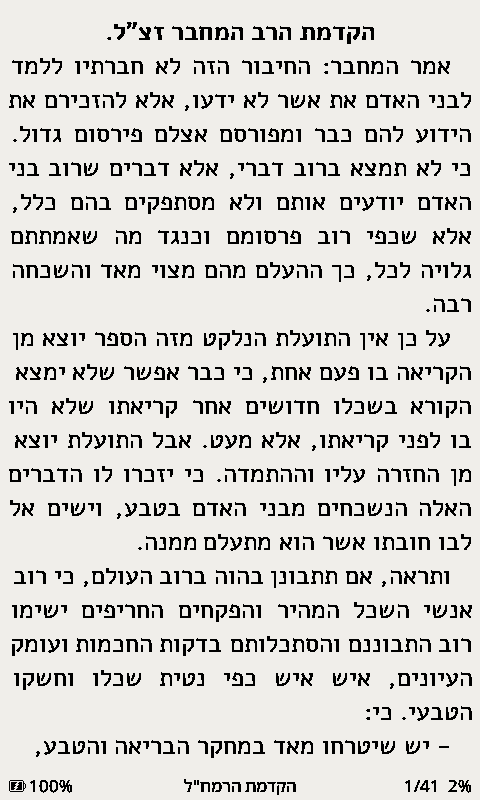 CrossPoint Reader’s native support for right-to-left scripts like Hebrew
The “Villain” of the Open Ecosystem: Amazon’s Monopoly Logic
We have to face a reality: projects like FreeInk exist precisely because Amazon wishes they didn’t.
The Kindle’s refusal to support EPUB has never been a technical issue — the Kindle’s underlying Linux system is perfectly capable of parsing EPUB files. In fact, Amazon announced in 2022 that it was “ending Kindle support for EPUB” — meaning that any EPUB file you send to your Kindle is automatically converted to KFX, a conversion process controlled by Amazon’s servers. Take it or leave it.
This is a textbook walled-garden strategy:
- Lock the user in with hardware (Kindle devices)
- Lock the content with proprietary formats (AZW3/KFX)
- Lock migration with DRM (books you bought only work on Kindle)
- Lock progress with cloud sync (Whispersync doesn’t talk to anything else)
Every step is designed to lower your willingness to leave the ecosystem. Improving the reading experience is not the priority.
FreeInk’s logic is the opposite:
- Hardware designs are public (KiCad source files, 3D print files)
- Firmware is open source (CrossPoint Reader)
- Formats are open (EPUB + OPDS + Calibre integration)
- Sync protocol is open (KOReader Sync)
- No DRM — that is an explicit project principle
An interesting data point: CrossPoint Reader has over 6,300 stars on GitHub and has been forked over 1,200 times. That number tells you something — people’s dissatisfaction with closed e-readers runs far deeper than manufacturers care to admit.
Does FreeInk Have a Barrier to Entry?
Honestly? Yes.
FreeInk currently supports a specific set of devices — the Xteink X3, Xteink X4, de-link, Seeed Studio’s reTerminal Sticky, M5Paper, and LilyGo T5. These are mostly niche open-hardware devices, not your everyday Kindle.
But technically, porting is not impossible — the FreeInk SDK is designed so that adding a new device requires configuration, not a rewrite. Defining a new board means configuring a set of pin definitions, screen parameters, and waveform table values, not modifying the driver logic. As the community grows, the supported device list will expand.
For the average user, the entry process looks like this:
- Buy a supported device (e.g., Xteink X4, around $30–40)
- Open a browser and visit the CrossPoint Reader flashing page
- Connect the device via USB and click “Flash” — the entire process happens in the browser
- Reboot and start using
This is significantly simpler than flashing LineageOS onto a phone.
Ultimately: What an Open E-Reader Means
FreeInk’s significance goes beyond free software — it is about choice.
You can keep using a Kindle, buying books from Amazon’s store — that is perfectly fine. But with FreeInk, you have an alternative: turn a closed e-reader into an open, personal reading tool.
Every DRM-free e-book you buy (from a standard EPUB store, Humble Bundle, Project Gutenberg, or directly from an author as a PDF/EPUB) should be readable on any device you own. That is what reading ought to be.
FreeInk — and the open firmware ecosystem it represents — is turning that statement from an ideal into a reality.
Reference links:
- FreeInk official site — project home, SDK docs, and open hardware designs
- CrossPoint Reader official site — flashing guide and feature list for the open-source firmware
- CrossPoint Reader GitHub repo — source code, issues, and community discussion
- HN discussion (item?id=48996318) — community feedback and usage reports on FreeInk
- Lobsters discussion (lobste.rs/s/rwdmjn) — deep technical discussion
- The Verge — media coverage of the Xteink X4 and CrossPoint Reader
- Lifehacker — software experience review of CrossPoint Reader