
In October 2026, tech outlet Windows Latest confirmed a fascinating technical reality: buried inside the modern Windows 11 26H2 operating system lies an authentic piece of memory management code originally written for Windows 95. Far from being purged, this relic was recompiled by Microsoft and tucked neatly into the OS compatibility layer. Its sole purpose? Catering to decades-old programs that mishandled memory thirty years ago.
At Microsoft, backward compatibility often turns into a permanent copy of historical source code. Rather than risk breaking legacy software, Microsoft encapsulates older modules into modern systems, effectively elevating vintage software bugs into binding system contracts. Every PC running Windows 11 today still carries the weight of those three-decade-old commercial compromises.
Tucked Away in Windows 11: Living Code from Windows 95
Uncovering this technological fossil in Windows 11 26H2 requires no arcane hacking skills. Users simply need to install Microsoft’s official Windows ADK toolkit, check the “Application Compatibility Tools” option, and launch the 32-bit Compatibility Administrator. Browsing the massive list of system shims reveals a distinct fix: EmulateHeap.
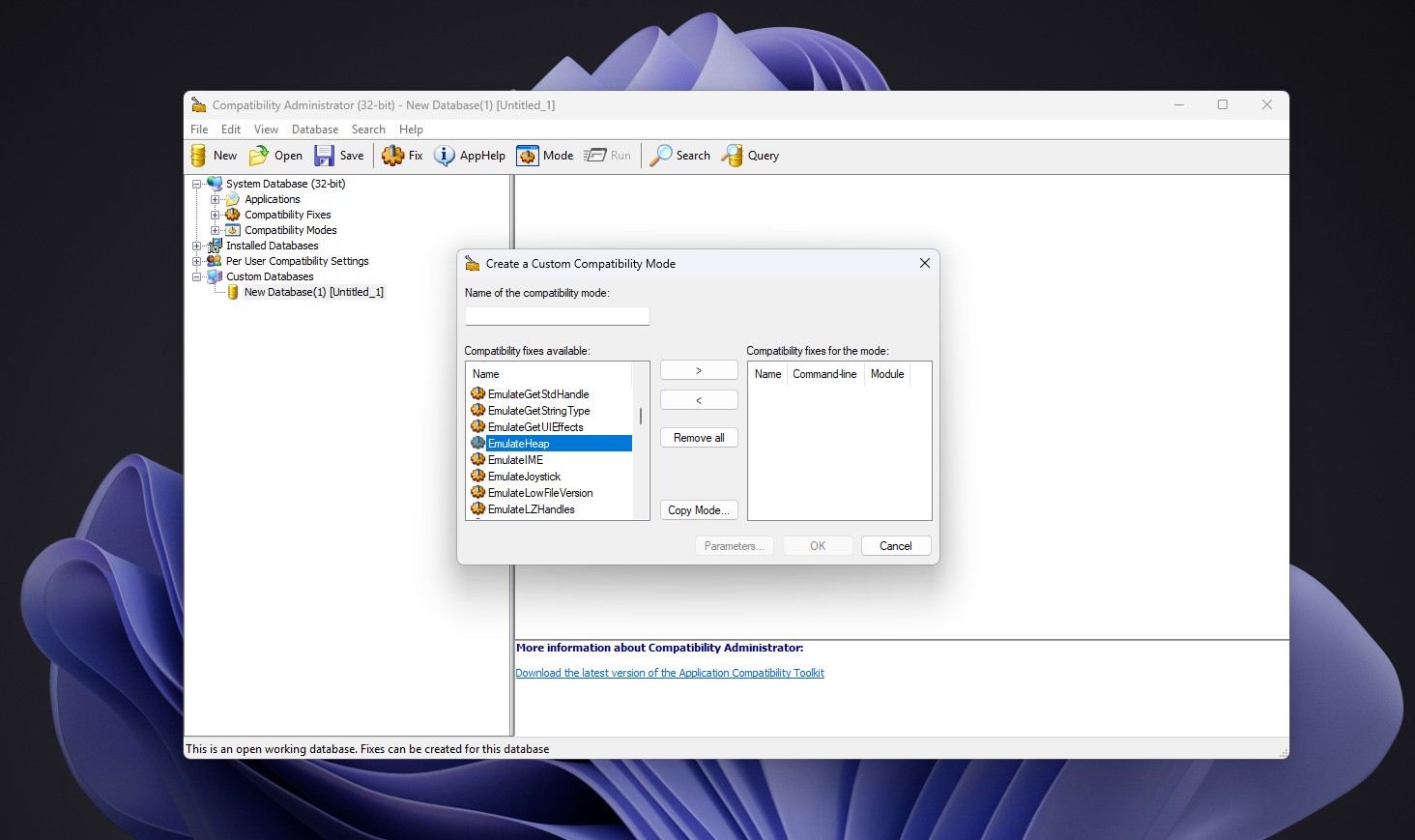 Figure: The EmulateHeap compatibility shim in Windows 11 Compatibility Administrator. Source: Windows Latest
What EmulateHeap does is straightforward yet brute-force. Once enabled for a legacy application, the system intercepts its heap memory calls. From allocation routines like HeapCreate to memory locks like LocalLock and reallocations via GlobalReAlloc, every instruction is rerouted to a specialized implementation. This implementation reproduces the exact operational quirks of Windows 95.
Microsoft chose not to simulate these legacy semantics with modern heuristics. According to archives shared by veteran Microsoft engineer Raymond Chen, the team pulled the original Windows 95 heap manager source code, recompiled it, and packed it straight into the compatibility shim. Microsoft skipped behavioral emulation and chose original source code to eliminate any risk of subtle incompatibilities. Thirty-one years later, those vintage instructions still retain an official, permanent place in the operating system.
Saving SimCity: Microsoft Patches Third-Party Bugs
This patch traces its roots back to a crucial commercial showdown three decades ago. In 1995, as Microsoft was gearing up to release Windows 95, the wildly popular PC blockbuster SimCity repeatedly crashed in testing. Had Windows 95 failed to run must-have titles at launch, consumers would have naturally blamed the operating system, not the game.
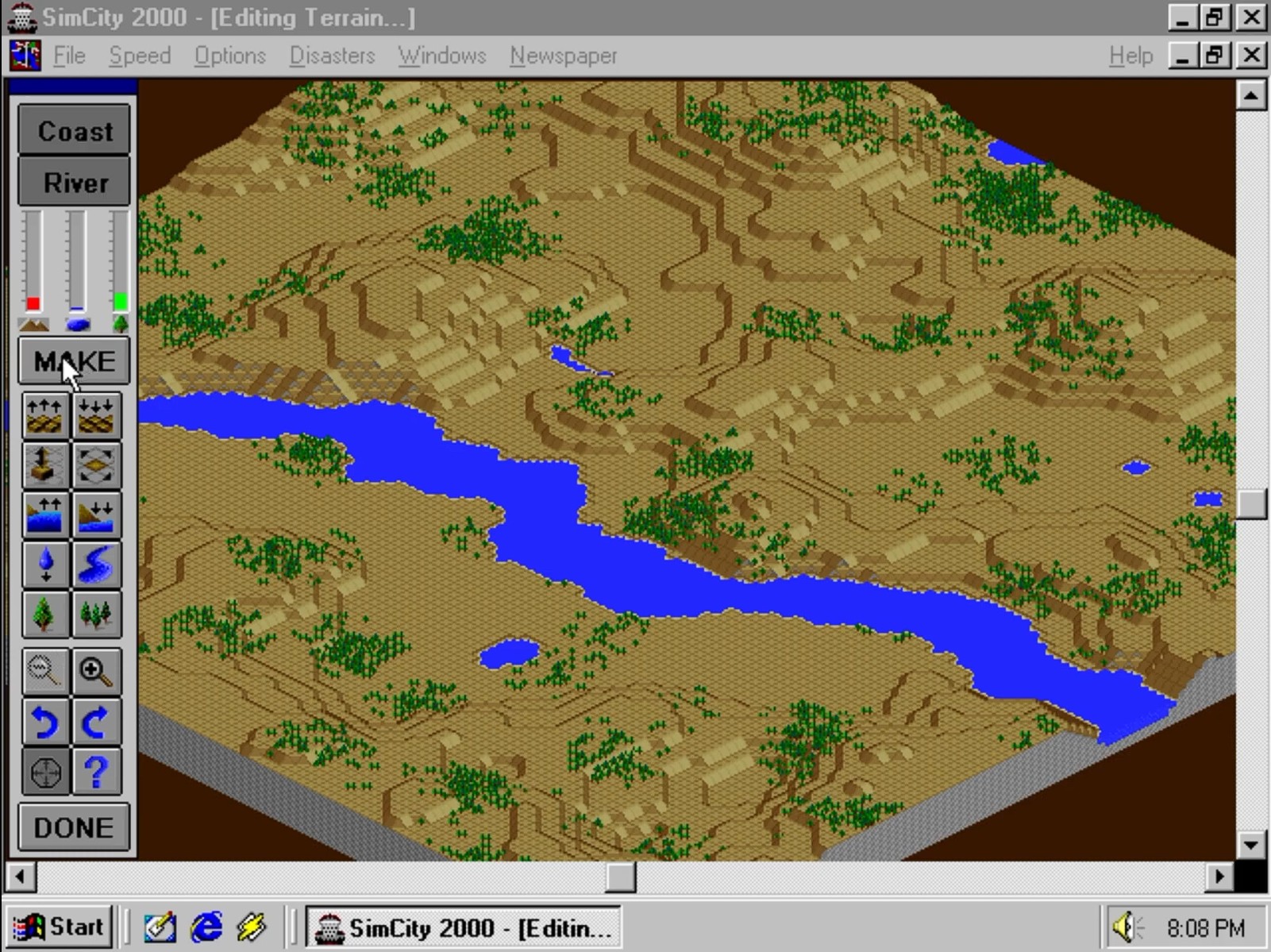 Figure: SimCity 2000, the globally renowned city-builder. Source: Nap’n’Retrogaming
Microsoft engineers investigated and discovered that the fault lay squarely within the game itself. SimCity developer Jon Ross later acknowledged that the game harbored a classic “use-after-free” bug: it released memory back to the operating system and then promptly continued reading data from the discarded memory block.
Under Windows 3.x, this dangerous flaw went unnoticed thanks to cooperative multitasking and primitive memory architecture. When an application freed memory in 16-bit Windows, the OS did not instantly purge or reassign those physical addresses. The old data lingered in place, and the game ran without a hitch. Windows 95, however, introduced preemptive multitasking and a 32-bit heap manager; freed memory was immediately overwritten or unmapped, triggering immediate crashes.
Former Microsoft program manager Joel Spolsky detailed the episode in a classic 2000 essay. Instead of forcing game publisher Maxis to rush out an emergency patch, Microsoft introduced custom detection logic inside the Windows 95 memory allocator. Whenever the kernel detected SimCity executing, it seamlessly switched into a mode that delayed recycling freed heap memory. To guarantee a friction-free consumer transition, the operating system willingly took ownership of third-party bugs.
Elevating Vulnerabilities to Contracts: When a Shim Becomes Permanent
Such software defects were rampant throughout the mid-1990s. The PC software boom saw legions of rushed 32-bit applications flood the market, riddled with memory anomalies. Accustomed to the lenient environment of Windows 95, many programmers came to treat “reading freed memory” as an intended system feature rather than an accidental privilege.
As the Windows NT kernel superseded the consumer 9x codebase, Microsoft deployed a much stricter enterprise-grade secure heap. Consequently, hundreds of legacy games and mission-critical enterprise utilities suddenly failed. Hardcoding per-application workarounds for thousands of programs inside the NT kernel was unsustainable. Torn between architectural purity and preserving a gargantuan software ecosystem, Microsoft engineered a pragmatic compromise.
 Figure: The preservation path of Windows 95 heap code within the modern compatibility layer. Source: Windows Latest
Engineers extracted the original heap manager component directly from the Windows 95 source tree and encapsulated it into a standalone shim called EmulateHeap. From a pure security perspective, use-after-free bugs are high-severity vulnerabilities that can facilitate arbitrary code execution. Yet in the commercial reality of desktop computing, backward compatibility trumped pristine architecture. Microsoft permanently cast historical software defects into formal operating system contracts.
Rewriting UI in WinUI 3 While Shipping 1995 Modules
This unwavering dedication to compatibility yields striking engineering contrasts. Microsoft is actively revamping the modern Windows interface—even longstanding dialogs like file properties are transitioning to modern WinUI 3 controls. In an effort to eradicate memory corruption bugs once and for all, Microsoft is also introducing Rust into the Windows kernel.
Yet beneath these polished modern frameworks, historical baggage remains completely untouched. Even in 2026 on Windows 11 version 26H2, Microsoft’s modern build pipelines continue compiling 31-year-old Windows 95 heap routines to distribute them inside consumer ISOs. In contrast, beloved features like the bundled 3D Pinball for Windows were unceremoniously abandoned decades ago.
The rationale behind dropping 3D Pinball when Windows transitioned to 64-bit was remarkably pragmatic: the collision detection logic was written entirely in raw 32-bit x86 assembly without documentation for its floating-point logic. On 64-bit systems, the pinball would routinely phase right through flippers. Tracking down the defect would have taken days of reverse engineering, so Microsoft simply culled the game. Microsoft’s patience for legacy code has unambiguous boundaries: bundled games are disposable, but backward compatibility foundations are sacrosanct.
Thirty-One Years of Compromise: The Modern Toll
Yet after guarding this vintage code for decades, the old magic is finally faltering on modern hardware. Beginning with Windows 11 22H2 and later releases, retro gamers discovered that EmulateHeap often breaks. When players attempt to run classics like Grand Theft Auto: Vice City or Need for Speed: Most Wanted using the shim, games frequently suffer from missing audio channels or crash on startup.
The problem is that modern PC architectures have completely moved past the assumptions of 1995. Contemporary machines run multi-core processors with complex out-of-order execution pipelines and hardware memory isolation. Windows 95’s heap manager was designed for single-core, flat-memory setups; it simply cannot reliably cooperate with modern graphics drivers and heavily threaded runtime environments.
Uncompromising backward compatibility gave Windows its unassailable commercial moat, but it also accumulated unprecedented technical debt. With each architectural leap, Microsoft carries all of yesterday’s baggage forward. What began thirty years ago as a temporary workaround has solidified into an immoveable digital fossil. When hardware evolves past an era’s fundamental assumptions, endless appeasement of the past becomes an unavoidable burden for every modern user.
References:
- Windows Latest Report: Why Windows 11 still ships with Windows 95’s memory manager hidden inside it
- Joel on Software: Strategy Letter II: Chicken and Egg Problems
- Microsoft Technical Documentation: Windows Compatibility column on EmulateHeap mechanics