Master Permission Switch Dismantled: Cross-App Automation Reined In
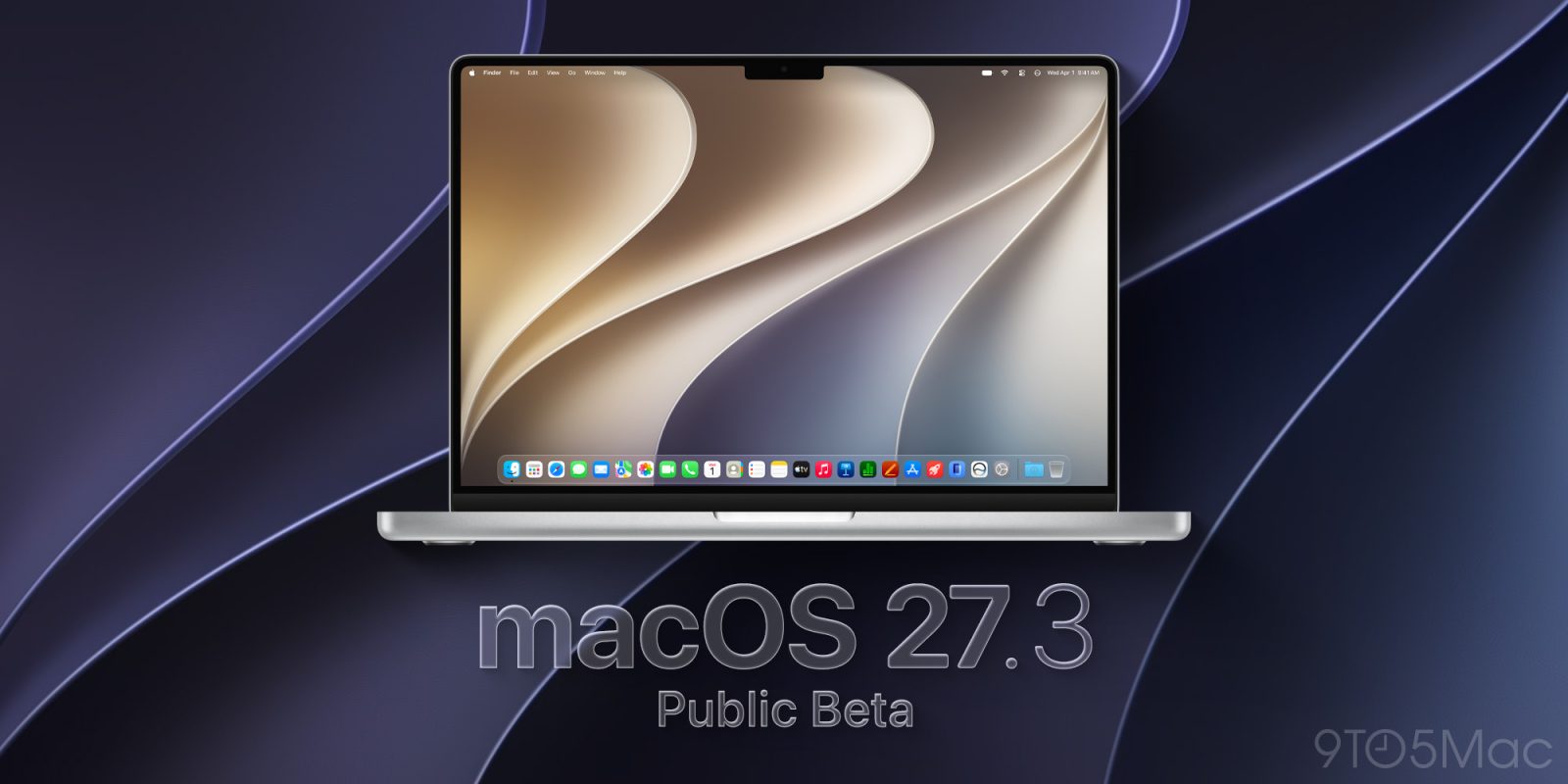
On November 19, 2026, Apple seeded macOS 27.3 Golden Gate Public Beta 2 (build 26C5047e). Just one month ahead of the general release, this milestone revamps core system security. Broad Full Disk Access has been dismantled, scrutiny over cross-app automation is markedly stricter, and the mainland China rollout of Apple Intelligence has officially entered public testing across Mac and iPad devices.
In macOS 27.2, “Device Control & Data Access” served as a monolithic master toggle. Once a third-party application gained authorization, its reach cut across the entire operating system: reading and writing emails, intercepting keystrokes, recording the screen, and taking over arbitrary software. While this permissive model enabled seamless end-to-end automation, it also left open doors for unauthorized privilege escalation by rogue scripts.
 Figure: macOS 27.3 separates device controls into Accessibility and System and App Protection Overrides. Source: 9to5Mac.
macOS 27.3 decouples this master toggle into two distinct settings: Accessibility and “System and App Protection Overrides.” The former is strictly reserved for assistive tools serving visual, auditory, or motor accessibility, requiring developers to pass specialized Apple entitlement audits. The latter is tailored specifically for cross-application orchestration and automation. Users can now enforce boundaries per application: granting a utility permission to interact with an email client while explicitly blocking access to Messages and Photos.
Ending Blanket Authorizations: Scoping Disk Access to Specific Folders
The Full Disk Access architecture has undergone structural changes. On its developer portal, Apple openly noted that some software had been abusing Full Disk Access, leaving users’ entire drives exposed to unrestricted read access. Historically, macOS storage permissions followed a rigid binary model: an app was either confined within a restrictive sandbox unable to touch even Downloads, or handed raw, read-write keys to the entire storage volume.
macOS 27.3 introduces directory-level permission scoping. If a text editor only requires access to a designated folder, users can grant access strictly to that path. Applications no longer obtain ambient permissions to traverse root directories or inspect other user libraries. By constraining storage access to specific directories, the system cuts off background processes from quietly indexing sensitive files under the guise of legitimate entitlements.
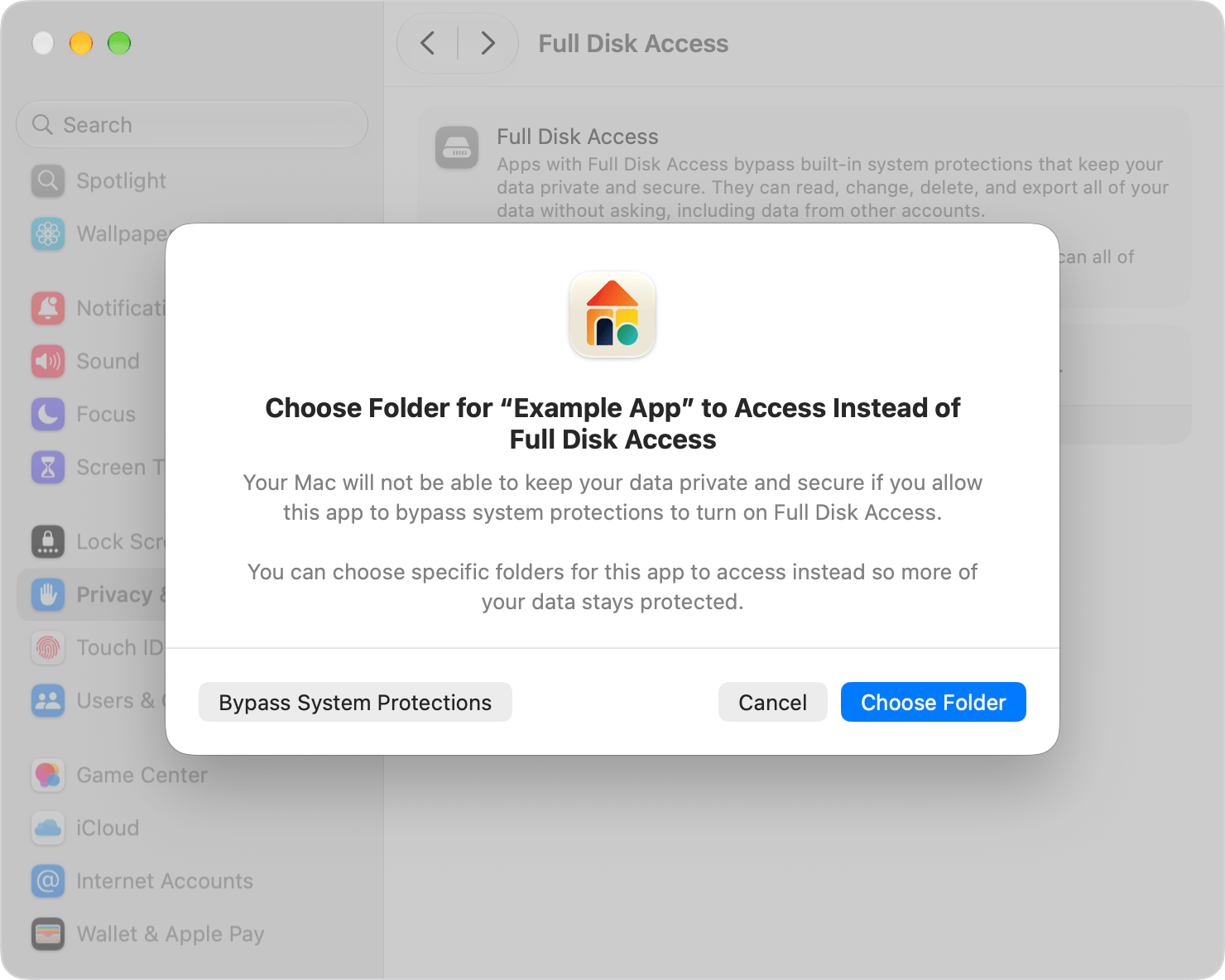 Figure: The macOS 27.3 Full Disk Access prompt allows users to designate protected folders. Source: 9to5Mac.
The update also adds an “Ask Every Time” option, ending the era of permanent, set-and-forget permissions. The user interaction flow has been overhauled as well. Previously, apps encountering file read errors could silently insert themselves into System Settings waiting lists. macOS 27.3 closes this shortcut: users must now deliberately click the plus icon or drag executables into the panel, while warning dialogs clearly delineate potential security risks.
Warning Lights in the Menu Bar: Ending Covert Background Snooping
Post-grant runtime monitoring is now an explicit focus of system defenses. In traditional desktop workflows, standard users had little visibility into what APIs high-privilege background scripts were polling or what window data they were scraping. This black-box execution was manageable in the era of conventional software, but autonomous agentic models make the old paradigm untenable.
macOS 27.3 introduces a runtime transparency indicator in the menu bar. Whenever software invokes the protection override channel to automate another app or reads screen and window data in the background, a conspicuous warning indicator lights up. Users can click the indicator to immediately inspect which process is accessing what resources.
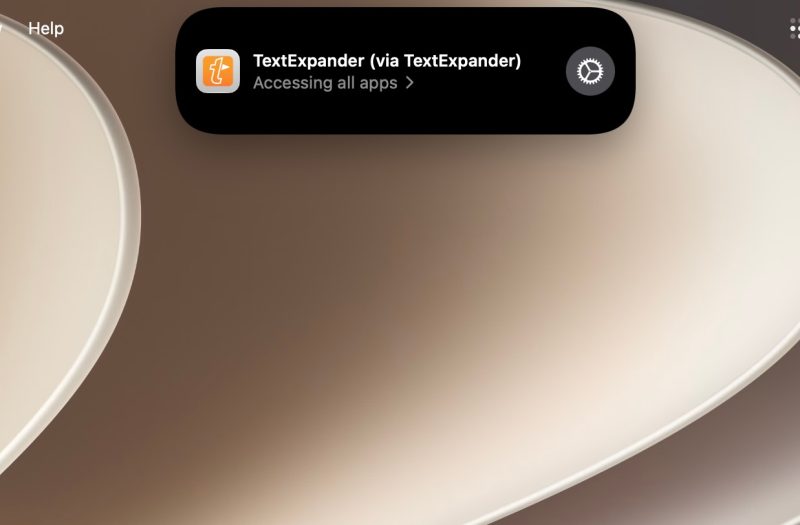 Figure: The menu bar highlights a real-time transparency indicator during cross-app system takeovers. Source: 9to5Mac.
This indicator acts as a physical security alarm for the desktop environment. Developers retain backward compatibility without altering underlying APIs, but covert contextual harvesting in the background is dragged into the spotlight. Established backup utilities and accessibility software can leverage dedicated entitlements for a seamless transition, while general third-party tools must adapt to operating under full visibility.
China Dual-Track Launch: Compliant On-Device Sandboxes Face Desktop Agents
Alongside tightening storage defenses, Apple Intelligence reached a critical deployment milestone in mainland China. Following algorithm registration filings for Mac and iPad models published by the Cyberspace Administration of Shanghai, macOS 27.3 Beta 2 and iPadOS 27.3 Beta 2 officially opened public beta enrollment for local hardware. The initial rollout focuses on core on-device features: Writing Tools, Clean Up in Photos, and system-level Notification Summaries.
To comply with regulatory standards and cross-border data transfer boundaries, Apple adopted a localized dual-track strategy. Cloud-assisted compliance channels partner with domestic foundational models such as Alibaba’s Tongyi Qianwen for specific content moderation and semantic conversions. Deeper system-level orchestration, such as autonomous cross-app Siri actions, remains excluded from this beta wave.
This measured cadence aligns with Apple’s established defensive security posture. Text and image transformations are strictly confined within isolated app sandboxes, touching neither system files nor arbitrary app controllers. As local autonomous agents eventually seek direct file system interaction and cross-application workflows, granular disk scoping and menu-bar surveillance provide the essential safety rails against unintended exposure.
Redrawing Trust Boundaries: Defense-in-Depth for Desktop Computing
Throughout GUI history, operating systems have continually renegotiated the distribution of system control. In 1984, the original Macintosh granted single tasks total control over bare hardware. As networking expanded and malware proliferated, sandboxing and mandatory code signing gradually established system defenses. Now, as desktop AI agents attempt to wield the mouse, keyboard, and file system on behalf of users, the traditional chain of trust is tested once again.
Autonomous agents require extensive contextual visibility and execution rights to execute complex commands—an inherent tension with the principle of least privilege. Granting unbridled disk access effectively forfeits system defenses. With macOS 27.3, Apple restructures permission governance, establishing non-negotiable boundaries for the looming wave of autonomous agents.
By scoping the master switch down to directory levels and pairing it with real-time visual feedback, Apple is striking a balance between automation capability and data protection. In the agentic era, desktop operating system dominance will not simply be won on raw inference speed; the maturity with which a platform governs privileged access will define the true baseline for next-generation human-computer interaction.
Reference Links:
- 9to5Mac Coverage on macOS 27.3 Public Beta 2
- 9to5Mac Analysis on Full Disk Access and Privacy Controls
- Apple Developer Documentation on Full Disk Access Permissions